How Simplified fits together
Welcome to Simplified
Simplified has two halves. There is the Installer Portal, where you and your team work, and there are the customer-facing tools, which carry your branding and are what your customers actually see. Everything you configure in the portal changes what happens in those tools.
Understanding this split makes the rest of the product much easier to navigate, because it explains why the same words appear in two different places. "Hardware Packages" is both a library you maintain and a tab on each quote tool: one is the master list, the other is the selection of that list a particular tool offers.
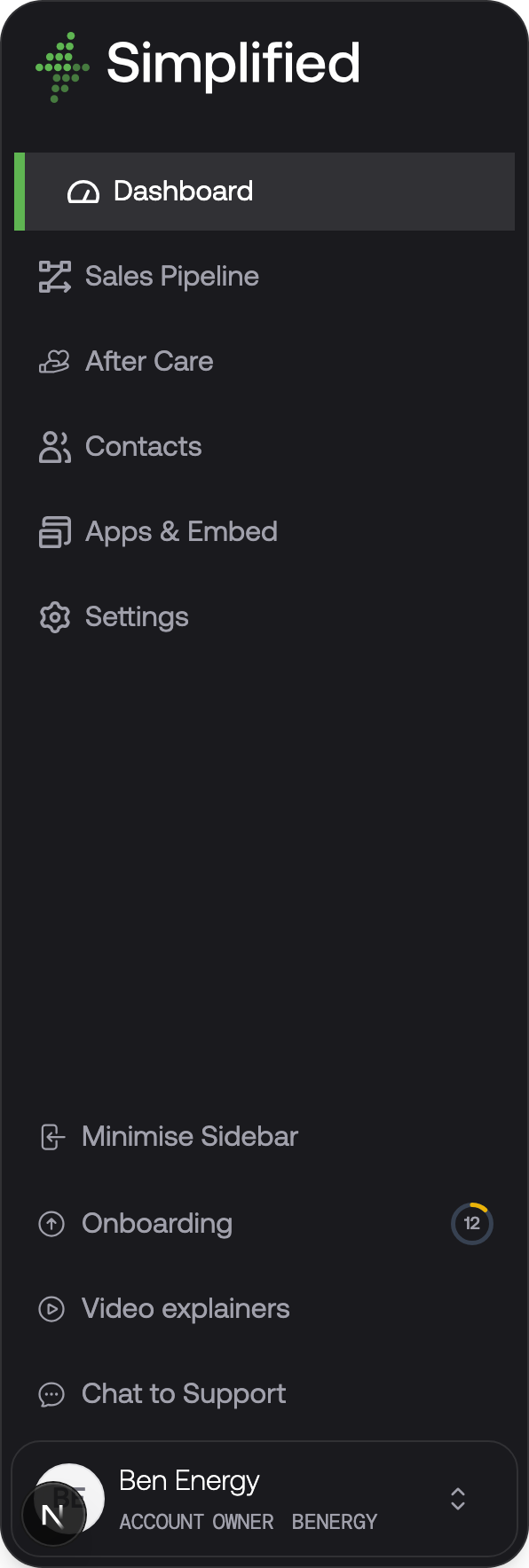
The portal sidebar is where you will spend your time. Apps & Embed holds the customer-facing tools, and Settings holds the foundations they read from.
The customer-facing tools
You get four, and you can use as many or as few as suit how you sell.
Instant quote tools are self-serve. Your customer lands on a page, enters their address, answers a few questions about their property, and gets a real price with options they can compare. There is a separate tool for each product type — solar, commercial solar, battery, heat pump, air conditioning, and boiler — because the questions worth asking differ.
Proposals are what you send when a job needs explaining rather than pricing. They are built from blocks you arrange: system design, savings, what's included, finance terms, and a signature panel. Your customer reads it in their browser, chooses between options, and accepts.
The customer portal is a signed-in area where customers find their quotes, proposals, documents, and the progress of their installation.
Widgets are pieces of the above embedded into your own website: a price calculator, an address-capture launchpad, a contact form, or a table of service plans.
The shared foundations
The tools do not hold their own product or price data. They all read from one set of foundations, which is why setting those up properly is most of the work.
Your hardware catalogue is the master list of everything you sell, with what it costs you at wholesale. Panels, inverters, batteries, heat pumps, boilers, air conditioning units, EV chargers, and cylinders all live here.
Hardware packages group catalogue products into the system options a customer chooses between — typically a good, better, best set. A package holds a pool of valid products rather than a fixed bill of materials, so the tool can pick the right sizes for the property in front of it.
Pricing models describe how a package's price is calculated: labour, scaffolding, materials, distance, margin. You write the recipe once and attach it to as many packages as you like.
Extras are optional upsells offered during a quote — a bird guard, an EV charger, an extra battery.
Finance options are the payment terms your customers can choose, and what the monthly figures are based on.
Your theme carries your logo, colours, and fonts across every customer-facing tool, so all four look like your business rather than ours.
How the pieces connect
The chain from your catalogue to a price on your customer's screen runs like this:
- You add products to your hardware catalogue, each with a wholesale cost.
- You create hardware packages that draw from the catalogue, and attach a pricing model to each.
- You assign packages to a quote tool, and the order you put them in becomes the recommended order your customer sees.
- Your customer opens the tool and describes their property.
- The tool works out which packages suit that property, picks appropriate product sizes from each package's pool, and calculates a price using the attached pricing model.
- Your customer compares options, adds any extras, chooses a finance option, and either accepts or leaves you their details.
The consequence worth remembering: a price your customer sees is calculated at the moment they see it, from your current catalogue costs and pricing model. Change a panel's wholesale cost and every future quote reflects it immediately, with no republishing.
Where your customers arrive
A quote tool has its own web address on a Simplified subdomain from the moment your account is created, so you can test and share it before doing any domain setup. When you are ready to make it properly yours, you can point your own subdomain at it — quote.yourbusiness.co.uk rather than a Simplified address — and embed entry points into your existing site with widgets.
What's next
Work through the go-live checklist, which puts the above in the order you should actually do it.